Overview
This post explains how Business Central connects supply chain data to financial reporting for real-time cost visibility.
Supply chain decisions affect your bottom line more than most businesses realise. Not just through the price you pay for goods, but through freight costs, storage costs, cash tied up in stock, write-offs, and the finance team hours spent trying to reconcile it all.
The problem, for most businesses, is visibility. Purchasing data sits in one place, while inventory values sit in another. Finance does the month-end close and discovers costs that operations didn’t know existed. By the time anyone has an accurate picture of what the supply chain actually costs, the decisions that caused it are weeks in the past.
Business Central connects supply chain management to financial management. You get a clear, real-time picture of what your supply chain costs, and the tools to control it.
Why Financial Visibility Matters
When supply chain and finance run in separate systems, costs get lost in the gap between them.
Freight charges sit in a spreadsheet, supplier invoices are matched manually, and landed costs are estimated rather than calculated. The result is that margin calculations are wrong, cost reports are delayed, and pricing decisions are based on incomplete information.
Business Central removes that gap. Purchase orders, goods receipts, supplier invoices, stock movements, and landed costs all feed into the same financial records in real time, so your finance team and operations team look at the same data.
Landed Costs
The price on a supplier invoice is rarely the full cost of getting stock to your warehouse.
If you’re importing goods, you’ll also be paying freight, insurance, customs duties, and potentially handling charges. All of those costs affect the true cost of your stock, and therefore your margins, which is why our guide for finance directors and managers covers landed cost accuracy in more depth.
Business Central lets you allocate additional costs to individual items or purchase lines. You can spread freight across all the items in a shipment, weighted by value, quantity, or weight, depending on what suits your products.
Those landed costs are added to the inventory value of the items. So when a product is sold or consumed in production, the cost of goods sold reflects the true purchase cost, not just the supplier unit price.
Inventory Valuation Methods
How you value your stock affects your reported costs, your gross margin, and the inventory figure on your balance sheet. Business Central supports several costing methods, and you can apply different methods to different items depending on what suits your products.
FIFO values stock in the order it was received, so as older stock is sold or used first, the cost recorded reflects the purchase price of those earliest units. This tends to produce the most accurate picture of current inventory value when purchase prices are rising.
Average cost calculates a running average across all units in stock, smoothing out price fluctuations, while standard cost values items at a predetermined figure and records any variance separately. LIFO and specific cost are also available for businesses with specific requirements. Choosing the right method isn’t just an accounting decision, because it affects how you analyse margins and report profitability to stakeholders.
Cash Flow Forecasting
Open purchase orders represent a future cash commitment. Most businesses know that in theory, but struggle to see it clearly in practice.
If your purchasing data and your finance system don’t talk to each other, your cash flow forecast is incomplete. Business Central includes open purchase order commitments in cash flow forecasting, so you can see what’s due to be paid, to which suppliers, and when.
For growing businesses carrying significant stock investment, or businesses with seasonal purchasing patterns, that visibility helps you manage working capital more confidently.
Budget Tracking And Purchase Spend Control
Business Central lets you set purchasing budgets by category, department, supplier, or time period, and track actual spend against those budgets in real time.
If a category is running over budget, you see it as it happens rather than at month end. That gives managers the information they need to act quickly, whether that’s challenging a purchase, delaying an order, or switching to an alternative supplier.
Purchasing budgets also feed into approval workflows, so orders that would breach a budget require additional authorisation before they’re raised. Budget overruns are caught before they happen, not after.
Supplier Invoice Reconciliation
Matching supplier invoices to purchase orders and goods receipts manually takes time and creates risk. Errors slip through, and overcharges go unnoticed.
Business Central automates the three-way matching process, comparing an incoming invoice to the original purchase order and the goods receipt. If quantities and prices don’t align within the tolerances you define, the invoice is flagged for review before it reaches the payment run, which speeds up your accounts payable process considerably.
Supply Chain Cost Reporting
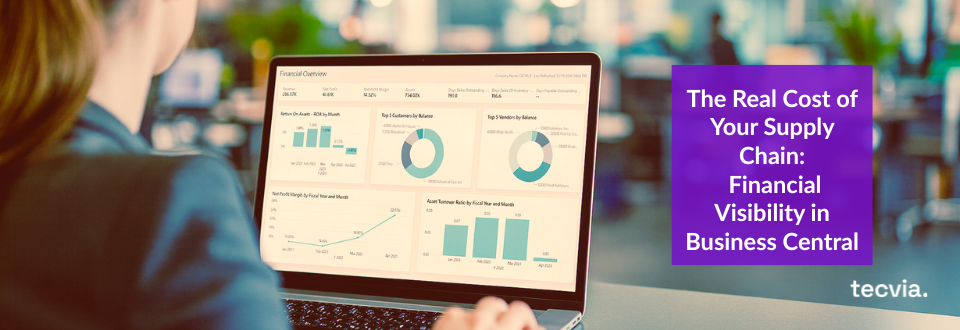
Business Central includes reporting tools that let you analyse supply chain costs by supplier, item, category, location, or time period. Combined with Power BI, you can build dashboards that give your management team a live view of supply chain spend, without waiting for a report.
You can identify where costs are rising, compare supplier pricing across periods, and spot margin trends before they become a problem. This connects closely to the visibility covered in our guide to purchasing and supply chain planning and our piece on inventory and warehouse management.
Who Benefits Most
Financial visibility across the supply chain matters most for a few types of business.
Margins are tight in food and beverage and distribution and wholesale, so every cost needs to be understood and controlled. International sourcing adds complexity for manufacturers through freight charges and duties, while regulatory requirements in life sciences mean financial records related to purchasing need to be accurate, auditable, and traceable.
If stock write-offs are part of your visibility challenge too, our guide to managing obsolete and slow-moving stock is worth a read alongside this one.
See Your Supply Chain Costs Clearly
If your supply chain costs aren’t fully visible in your financial reporting, that gap is costing you money you can’t see. Tecvia configures Business Central so purchasing, inventory, and finance work from the same live data.
Get in touch for a free consultation, or ask us for a demo of what this looks like for your business. Our implementation and support teams stay involved well beyond go-live, and our guide to implementation pricing covers what a project typically costs. Contact Tecvia to find out how we can help.