Moving From NAV to Dynamics 365 Business Central

Upgrade to a cloud-based system that includes AI, real-time reporting, and automatic updates at no extra maintenance cost

About Microsoft Dynamics NAV

For years, Microsoft Dynamics NAV was the trusted business management system for countless UK companies. You may have known it as Navision. It helped you manage your finances, control inventory, and run your supply chain. For many businesses, it was the backbone of daily operations. 

Many companies invested significant time and money customising NAV to fit their processes. That flexibility was a genuine strength. But those customisations were built for a different era, and they now bring their own challenges. Older modifications can be difficult to maintain, costly to update, and hard to connect with the cloud tools modern businesses depend on. 

Being installed on your own servers also meant your team carried all the responsibility for hardware, security patching, and manual upgrades. That often left businesses with a static system, unable to access real-time data or work remotely with ease. 

Microsoft Navigator

The Future of NAV

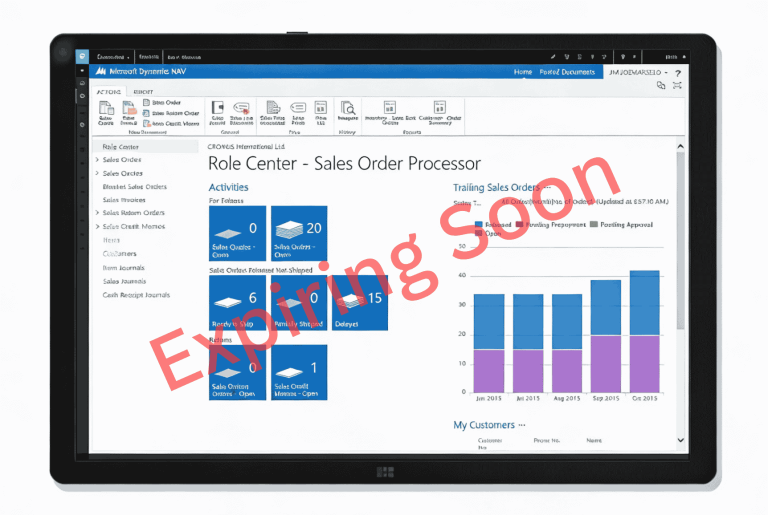
Microsoft’s mainstream support for all versions of Dynamics NAV ended in 2023. The final extended support period ends in January 2028. After that date, Microsoft will no longer release security patches or provide technical assistance for NAV. 

For businesses still running NAV, that deadline matters. Here is what it means in practice. 

No More Security Updates

After January 2028, Microsoft stops patching NAV security vulnerabilities. New threats will emerge, and none of them will be fixed.

For businesses that handle sensitive customer, financial, or operational data, the risk grows each month you stay on NAV.

No Technical Support

After January 2028, Microsoft closes the door on NAV support entirely. If something breaks, there is no helpdesk to call and no official fix coming. Your business will rely solely on your internal team or your implementation partner to diagnose and resolve the problem, however serious it turns out to be.

Compliance
Risks

Running an unsupported system can conflict with modern data protection regulations. For businesses in regulated industries such as food and beverage, life sciences, or medical devices, that is a serious concern.

Missed Capabilities

NAV cannot connect with modern cloud services as effectively as newer platforms. That limits your ability to use tools like Microsoft Copilot, Power BI, and Teams in the way your business needs.

Staying on NAV is a growing risk. Moving to its successor gives you security, support, and access to capabilities NAV cannot offer.

Why Business Central Is the Right Move

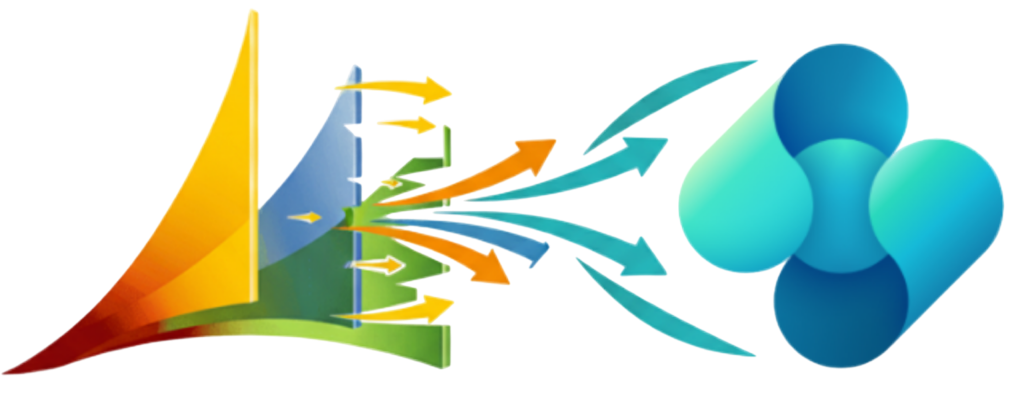
Dynamics 365 Business Central is the natural successor to NAV. Microsoft built it on the same foundations, but designed it for the modern world. If you know NAV, you already have a head start with Business Central. 

A Cloud-First
Platform

Business Central runs in the cloud, which means your team can access data securely from anywhere, on any device. You no longer carry the cost and responsibility of managing your own servers.

Continuous
Updates

Because Business Central is cloud-based, Microsoft delivers updates automatically. New features, AI tools, and integrations arrive without expensive upgrade projects. You stay current without the disruption of a major version change.

Real-Time Reporting and Insights

Business Central gives you customisable dashboards and real-time analytics. You can see exactly how your business is performing without waiting for month-end reports. Power BI integration takes that further, giving you visual, shareable insight across your data.

A Cloud-First
Platform

Business Central works inside the Microsoft tools your team already uses. From Outlook to Excel to Teams, your data flows between applications without manual exports or separate logins.

For manufacturers, distributors, and food and beverage businesses, that connectivity makes a practical difference to how quickly your team can act on information. See our industry pages for more detail on what that looks like in practice.

A Familiar
Feel

Your team's knowledge of NAV is not wasted. Business Central is built on the same foundations, so the core logic and navigation will feel familiar from day one. Your staff already understand how an ERP works, how to raise orders, post journals, and manage stock. That knowledge carries over.

Most users pick up Business Central faster than they expect, which reduces training time and means your team is productive sooner after go-live.

What Moving From NAV to Business Central Involves

A NAV to Business Central migration is a structured process. The right partner will guide you through each stage so you know what to expect. 

Timelines vary depending on your NAV version, the complexity of your customisations, and the number of integrations involved. Most migrations take between six and sixteen weeks. 

The Tecvia Approach

Tecvia is a Microsoft Partner based in Manchester. We implement Dynamics 365 Business Central for businesses across the UK.

We do not deliver a generic setup. Before we start any technical work, we take time to understand your current NAV setup. We also review your data structure and the systems that Business Central must connect with. That means fewer surprises during implementation and a cleaner result at go-live.

Most providers consider their work done once your system goes live. We see go-live as the start of your journey, not the end.

Your team needs time to settle into new processes. Questions come up. Small adjustments are needed. New requirements emerge as your business grows. We are there for all of it, with ongoing support, training, and system development as your needs change.

We specialise in Business Central for manufacturing, food and beverage, distribution, and life sciences businesses. That means we understand the specific challenges your industry brings, and we build that into every migration we deliver.


Start Your Migration Assessment

The best first step is a free, no-obligation assessment of your current NAV setup. We will review your system, identify the right migration path, and give you a clear timeline and cost estimate. 

There is no commitment and no pressure. Just a clear picture of where you are and what moving to Business Central involves. 

FAQs

Here’s some more information you might need! We’ve compiled answers to some of the most frequently asked questions. If you have any additional questions or need further clarification, please don’t hesitate to contact us!

Moving from NAV to Business Central includes a system assessment, data migration, configuration, testing, and user training. The process is structured to minimise disruption to your day-to-day operations. Your partner will guide you through each stage and give you a clear timeline before any work begins. 

Yes. Business Central is Microsoft’s official successor to Dynamics NAV. It delivers the same core functionality with added cloud capabilities, stronger performance, and tighter integration with Microsoft 365 tools. 

Yes. Financial records, customers, vendors, items, and historical transactions can all be migrated securely. At Tecvia, we validate data accuracy through testing before go-live, so nothing is lost or corrupted in the move. 

Most migrations take between six and sixteen weeks. The exact timeline depends on your NAV version, the complexity of your customisations, and how many integrations need to be rebuilt or replaced. 

We review all existing customisations as part of the assessment phase. Older modifications are either rebuilt as Business Central extensions or replaced with standard functionality. This reduces technical complexity and improves long-term performance. 

Key benefits include cloud access, improved reporting, stronger security, automatic updates, Microsoft Copilot and Power BI integration, and better collaboration across your teams. You also remove the risk that comes with running an unsupported system after 2028. 

Yes. Business Central integrates with Microsoft 365, Power BI, CRM systems, and a wide range of third-party applications. For eCommerce businesses, it also connects with Shopify through Tecvia’s Shopify integration service. 

Tecvia specialises in Business Central for manufacturing, food and beverage, distribution, and life sciences businesses. Our structured approach reduces risk, minimises downtime, and ensures your team is confident in the new system from day one. 

Yes. We offer ongoing support, system enhancements, and additional training after go-live. Our relationship with your business does not end when the migration is complete. 

 For anything not covered here, get in touch directly. We’re happy to answer questions specific to your business and your ERP requirements.