
Business Central for UK Managing Directors and Managers
See the Whole Business in One Place, Not Six Spreadsheets
Business Central gives managing directors and managers one live view of finance, sales, stock and operations. You make decisions on what is happening now, rather than on a report describing last month. Tecvia, a Manchester-based Microsoft Solutions Partner for AI Business Solutions, implements it for UK SMEs and supports it afterwards.
- Complete visibility: See financial performance, sales pipeline and operational status without chasing anyone for an update.
- Decisions on live data: Key figures update as your team works, so the picture in front of you is the current one.
- Control without micromanaging: Approval workflows and audit trails enforce your policies in the background.
How Business Central Gives You a Single Version of the Truth
Most growing businesses end up with finance in one system, stock in another and sales in a third. Each one is right on its own, and none of them agree. Business Central runs them in one database, so the number you see is the number everyone else sees.
Five Things That Change in Your First Quarter
- One set of figures: Sales, stock and finance post to the same ledger, so there is no reconciliation step before you can trust a report.
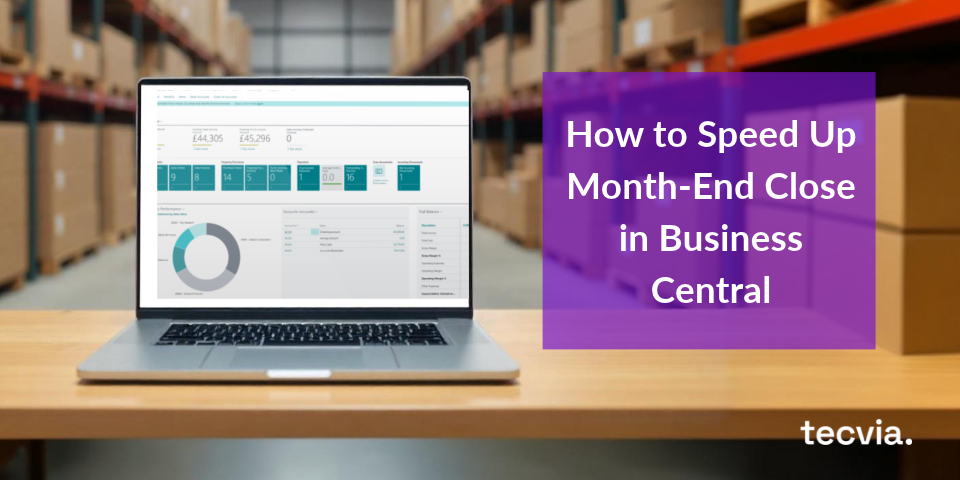
- Role centres instead of requests: Your dashboard shows cash, orders and overdue accounts the moment you log in, rather than after someone builds it for you.
- Approvals with a record: Purchases and payments route to the right approver by value, and every decision is logged against the transaction.
- Live board reporting: Financial reports and the Excel add-in refresh from current data, so the pack is never out of date by the time you present it.
- Growth without a new system: New users, locations and companies are configuration changes, not another implementation project.
See every capability on our Business Central features page, or explore Power BI for Business Central for board-level dashboards.
Key Benefits for Managing Directors
Complete Business Visibility
Business Central connects finance, sales, stock and operations in one system, so you see how one part of the business affects another in real time. There is no waiting for someone to pull the figures together. When every team works from the same data, the silos disappear, issues surface sooner, and the decisions you make reflect what is actually happening.

Strategic Planning and Forecasting
Business Central lets you model scenarios, test assumptions and understand the implications before you commit. Budgeting is straightforward because you compare actuals against budget continuously, so variances show up the moment they appear. When something needs correcting, you see it early enough to act, rather than at month-end when your options have narrowed.

Risk Management
Built-in controls strengthen your risk position without adding manual work. Audit trails track every transaction, approval workflows stop unauthorised actions before they post, and compliance becomes something the system handles rather than something your team chases. Unusual patterns trigger alerts automatically, so declining margins, overdue payments and budget variances flag up before they turn into real problems.

Improved Profitability
Automation cuts operating costs by removing manual processes and duplicate data entry, so your team spends its time on work that adds value rather than reconciling spreadsheets. Better visibility into receivables, payables and how your resources are deployed means you can manage cash flow actively, spot underused assets, and make investment decisions on accurate numbers.

Growth Enablement
Business Central scales with you. Add users, open new locations and enter new markets without switching systems or running infrastructure projects. Because it runs in the cloud, updates are automatic, there are no server capacity worries, and new features arrive regularly. Growth adds complexity in most businesses; Business Central absorbs that complexity so your team can focus on the business rather than the systems behind it.

How Managing Directors Use Business Central Daily
Morning Dashboard Review
Start your day with a complete picture of where the business stands. Yesterday's sales, orders to fulfil, cash position, and outstanding receivables all update automatically. Delayed shipments, overdue payments, and declining margins are visible immediately, so you can address issues before they escalate.
Strategic
Meetings
Present accurate data with confidence. Pull reports live, drill into the detail when questioned, and show trends over time. Discussions focus on the decision rather than whether the numbers are right. Remote participants see the same information, so meetings stay aligned and productive.
Board
Reporting
Generate board reports quickly, with financial summaries, KPI tracking and progress on strategic initiatives. When board members ask a question, you drill into the supporting data on the spot rather than promising to follow up. That control builds confidence in the numbers you are presenting.
Approvals
Approval workflows let you enforce financial controls without handling every transaction yourself. Purchase orders and invoices route automatically to the right person by value, so high-value commitments always get the right level of sign-off. You stay in charge of the controls while your team runs the day-to-day, which means less time on approvals and more on the decisions that genuinely need you.
What Makes Business Central Different
Most growing businesses end up with finance in one system, stock in another and sales in a third. Those tools each do their own job, but the picture only comes together when someone stitches the numbers back up by hand.
Business Central runs finance and operations in one database. So every order, stock movement and invoice posts straight through, and you see the whole business from a single place rather than six spreadsheets.
Microsoft Integration
Business Central works with the tools your team already uses. Outlook, Excel, Teams and Power BI are all built in. Because the interface is familiar, training is lighter and adoption is faster.
Cloud Benefits
Access Business Central from any device, anywhere, so your team stays connected in the office, at home or on the road. Automatic updates keep the system current without disruptive upgrade projects, and security patches apply without any action from your team.
Scalable Solution
Start with the core your business needs today and add capability as you grow. Add users without system changes, expand into new locations, and enter international markets when the time is right. Business Central grows at the same pace your business does.
Common Challenges Business Central Solves for Managing Directors
Challenge: Waiting for Reports
Old systems need IT to generate reports and finance to consolidate the data, so decisions wait for information that is already out of date.
Solution
Business Central gives instant access with real-time dashboards, self-service reporting and ad-hoc analysis, all without waiting on IT.
Challenge: Disconnected Departments
Sales cannot see inventory availability, finance cannot see what operations committed, and customer service lacks order visibility.
Solution
Business Central connects everything in one database, so information is shared and everyone works from complete, up-to-date visibility.
Challenge: Growth Limitations
Current systems cannot handle more volume, adding users is expensive, and expanding to new locations means buying new servers.
Solution
Business Central scales effortlessly on cloud infrastructure, with flexible user licensing and multi-location support built in.
Challenge: Compliance Concerns
Manual processes create audit risks, controls are inconsistent, and documentation is often incomplete.
Solution
Business Central automates compliance with built-in audit trails, workflows that enforce your policies and complete documentation.
Challenge: Supporting Multiple Locations
Remote offices need systems, VPNs are complex, performance is poor, management is difficult and the support burden keeps rising.
Solution
Business Central works anywhere with just internet access, delivering consistent performance, central management and a steady support burden.
What Business Central Costs and the Return You Can Expect
Your total cost has three parts: Microsoft licences, implementation and ongoing support. Licences are a monthly fee per named user, and implementation is a one-off project priced on the scope of your processes.
You’ll find current figures on our Business Central pricing page.
Predictable Monthly Costs
Business Central is subscription-based, with a fixed monthly fee per named user that already includes Microsoft's cloud hosting. There's no server to buy and no surprise upgrade bill, so you can budget the system as a predictable operating cost rather than a capital project.
Faster, Phased Implementation
A typical Business Central rollout runs in phases over a few months rather than a single big-bang launch. Going live one area at a time keeps disruption low and means you start seeing a return from the first phase, well before the full project is finished.
Measurable Return on Investment
The gains are concrete and trackable: finance hours saved on manual data entry and reconciliation, lower error rates, and a faster month-end close. We build an ROI estimate from your own numbers during the free assessment, so the business case is based on real figures rather than guesswork.
Why Managing Directors Choose Tecvia for Business Central ERP
Tecvia is a Microsoft Partner based in Manchester. We implement Dynamics 365 Business Central for businesses across the UK, working closely with leadership teams to make sure the system delivers what the business actually needs.
We don’t deliver a generic setup and move on. We take time to understand how your business works, where the pressure points are, and what a good outcome looks like from your perspective. That means the system you go live with is built around your business, not a standard template.
Our team stays involved from initial scoping through to go-live and beyond. We also provide training and ongoing support, so your people feel confident using Business Central from day one.
What Working with Us Looks Like
Free Business
Assessment
We analyse your current situation, identify the pain points that matter most, and recommend the right approach. There’s no obligation and no hard sell, so you leave with a clearer picture of what’s possible and what it would take to get there.
System
Demonstration
We show you Business Central working in your industry, with real scenarios and actual workflows. You ask the questions and we show you the answers in the system, so you get a realistic view of daily use before you commit.
Implementation
Planning
We produce a clear implementation plan with a defined timeline, milestones, resource requirements and risk mitigation. You know what to expect before the project starts, which means fewer surprises and a smoother path to go-live.
Find Out More About Why Managing Directors Choose
Dynamics 365 Business Central ERP
Check out our latest articles below.
Don't Just Take Our Word For It
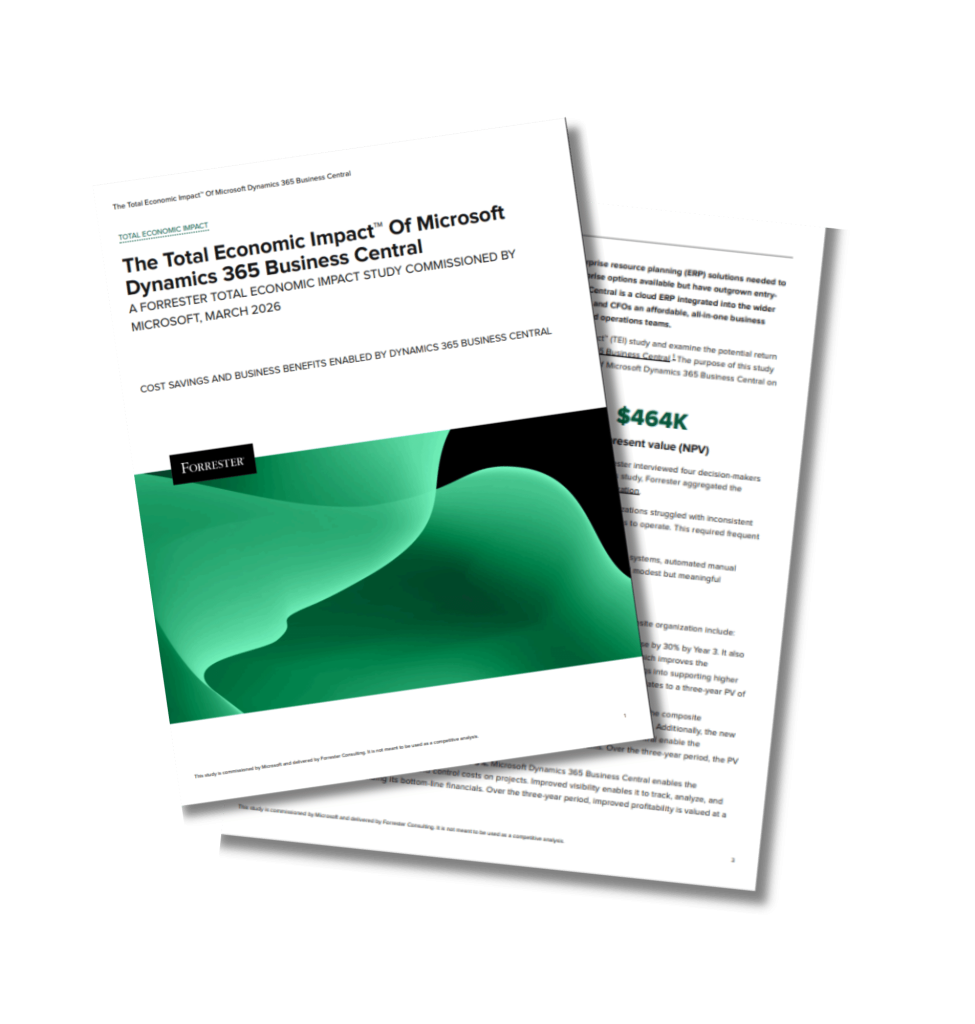
Forrester Study: Business Central Delivers 200% ROI in Three Years
See the numbers behind the business case for Business Central. More than 200% return on investment over three years, with payback in as little as six months.
Managing Directors and Business Central: FAQs
To help you navigate our page more effectively, we’ve complied answers to some of the most frequently asked questions. If you have any additional questions or need further clarification, please don’t hesitate to contact us!
Implementation timescales depend on complexity. A standard deployment typically takes three to six months. Phased approaches can deliver value within weeks by going live with core functionality first and adding capabilities progressively. We produce a realistic timeline during the planning stage.
Licensing costs depend on the modules your business needs and the number of users. Essentials licences start from £61.50 per user per month, Premium licences from £84.60, and Team Member licences from £6.60 for users who need read-only or limited access. Implementation costs depend on your requirements and we provide a fixed-price quote after assessment.
Yes. Business Central integrates with most business systems through standard connectors, REST APIs, and OData web services. Common integrations include Microsoft 365, Shopify, payment systems, and CRM platforms. We assess your integration requirements during planning and most integrations are straightforward.
No. Cloud deployment means Microsoft manages the infrastructure, and automatic updates eliminate upgrade projects. Your team focuses on using the system rather than maintaining it. Tecvia provides ongoing support when you need it, so you are not on your own after go-live.
Business Central runs on Microsoft’s Azure infrastructure, which meets enterprise security standards including ISO 27001, SOC 2, and GDPR compliance. Data is encrypted in transit and at rest, backups run automatically, and disaster recovery is built in. Your data is protected to a standard that most businesses cannot match with on-premises infrastructure.
Business Central scales to handle significant growth and most mid-market businesses do not outgrow it. If your requirements change significantly over time, Microsoft Dynamics 365 provides upgrade paths to more advanced enterprise products. You are not locked into a system that cannot grow with you.
Tecvia provides training as part of the implementation. Online training materials, live sessions, and video tutorials are all available. Because Business Central shares the Microsoft 365 interface, most users find the learning curve lower than expected. We tailor the training approach to your team’s needs.
Yes. Business Central is highly configurable and standard functionality covers most requirements without any custom development. Where specific capabilities are needed, extensions add them in an upgrade-safe way. We balance customisation with maintainability so you are not left with a system that is difficult to update.
You retain complete ownership of your data at all times. You can export data in standard formats whenever you need to, and there is no lock-in. Your data is always accessible and transferable.
Microsoft releases major updates twice a year and minor updates monthly. You choose when to apply them and we help you assess the impact before you do. Testing in a sandbox environment is straightforward. Updates rarely disrupt operations and you are always on a current, supported version.
Yes. Business Central brings finance, sales, stock and operations into one system, so dashboards and reports draw on live data rather than yesterday’s spreadsheets. As a managing director you get an up-to-date picture of the whole business at a glance, and you can drill from a headline figure down to the underlying transaction whenever you need the detail.
Role-based dashboards put the KPIs that matter in front of you the moment you log in, and built-in reporting with Power BI lets you track performance, spot trends and model scenarios. Because everyone works from the same live numbers, decisions are based on a single version of the truth rather than conflicting reports from different departments.
Yes. Business Central handles multiple companies, locations and currencies within one environment, with consolidated reporting across the group. Because it is cloud-based, your team can work securely from any site or from home with the same live data, which makes managing a multi-site or growing business considerably easier.
For anything not covered here, get in touch directly. We’re happy to answer questions specific to your business and your ERP requirements.