Overview
This post lists 10 signs your business has outgrown QuickBooks in 2026, using Intuit’s own plan limits. Each sign shows the risk and how Business Central can help.
Key Takeaways
- QuickBooks Online caps billable users at 1, 3, 5 or 25, depending on the plan.
- Outside the Advanced plan, the chart of accounts stops at 250 accounts.
- Heavy spreadsheet use, several companies and deeper inventory needs are the clearest warning signs.
- Stronger audit controls, multi-country trading and investor reporting also push businesses towards an ERP.
- QuickBooks Online Advanced may be enough if user and account caps are your only problem.
- Business Central licenses each user and combines finance, stock, sales and projects in one system.
Outgrown QuickBooks: What Has Changed since 2025
The original post kept the same ten signs. We checked each one against Intuit’s current UK documentation, and some claims did not hold up.
QuickBooks Online is cloud-based, so we removed the claim that it lacks real-time data. It also supports foreign currency, so we replaced that point with a more accurate one about multi-country trading. We added a plan-limits table, and a note that QuickBooks Online Advanced may solve some problems.
QuickBooks Online Plan Limits at a Glance
Intuit publishes these limits for the UK. They show where many growing businesses first feel the squeeze.
| Plan | Billable users | Chart of accounts | Good to know |
|---|---|---|---|
| Simple Start | 1 | Up to 250 | Basic invoicing and expenses |
| Essentials | 3 | Up to 250 | Adds bill management and time tracking |
| Plus | 5 | Up to 250 | Adds inventory tracking and project profitability |
| Advanced | 25 | Unlimited | Adds unlimited tag groups and more reporting |
Sources: Intuit’s usage limits guide and its UK plan comparison. Check Intuit for the latest figures before you decide.
1. You Keep Using Spreadsheets to Do More Work
QuickBooks gives you standard reports. If you often copy data into Excel to build your own, the system has stopped answering your questions.
Why this matters:
- Copying data takes time every week.
- Spreadsheets invite formula and version errors.
- Exported figures go stale when someone posts a new entry.
How Business Central can help:
Business Central builds financial reports from row and column definitions. You can open them in Excel or Power BI, so you analyse live data instead of exports. Dimensions let you analyse results by department or project without extra accounts. Our financial management page shows the detail.
2. You Run Several Companies or Locations
If you run more than one company, you usually keep separate books for each one. Group reporting then means exports, copy-and-paste and careful matching.
Problems you may face:
- You cannot see group results in one place.
- Combining reports takes days at month-end.
- Mistakes creep in when you match numbers from different files.
How Business Central can help:
Business Central runs several companies in one environment. It can combine their ledger entries in a virtual consolidated company for analysis, which means less manual work.
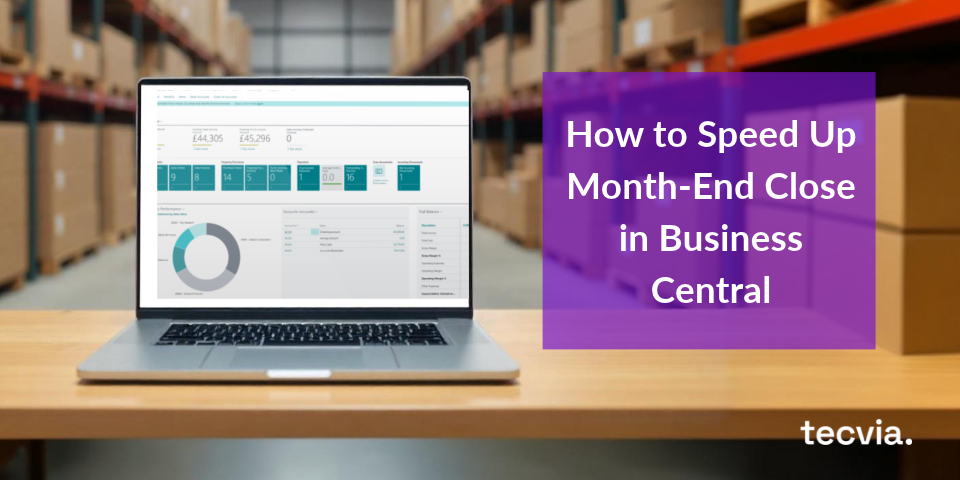
3. Your Month-End Close Takes Too Long
A close should take a few days. If yours takes a week or more, your tools may be slowing you down.
What slows you down:
- Keying in numbers by hand.
- Fixing mistakes caused by missing or wrong data.
- Repeating the same tasks every month.
How Business Central can help:
Copilot proposes bank reconciliation matches and suggests posting accounts for unmatched lines. Recurring journals and depreciation run as batch jobs, so your team reviews exceptions and does not rekey data. Copilot runs on Business Central online only.
4. You Hit User and Access Limits
QuickBooks Online caps billable users at 1, 3, 5 or 25, depending on your plan. Finance teams, managers and accountants soon need more seats, because more people touch the numbers as you grow.
Why this is risky:
- Adding a sixth user means moving up to Advanced, because Plus stops at five.
- Access controls vary by plan.
- Sensitive data needs careful control once more people can see it.
How Business Central can help:
Business Central licenses each user, so you can add as many as you need. Permission sets control who can view or post what, workflows route approvals, and a change log can record field changes.
5. Inventory Is Outgrowing the System
QuickBooks Online Plus tracks inventory costs and quantities. Growing stock operations often need more than that, so check your own needs.
Problems you might face:
- Several warehouses and bins are hard to manage.
- Lot, serial and expiry tracking usually needs an add-on.
- Counting and updating stock by hand takes hours.
How Business Central can help:
Business Central handles locations and bins, lot and serial tracking, and expiry dates, with FEFO picking available, so the earliest-expiring stock leaves first. Stock posts to the ledger as it moves. Our guide to full traceability explains how it works.
6. You Rely on Too Many Add-Ons
To make QuickBooks do more, you add apps for payroll, billing, inventory or CRM. At first this works, but after a while it gets messy.
What can go wrong:
- The apps do not talk to each other properly.
- You enter the same data in more than one place.
- It is hard to see the full picture of your business.
How Business Central can help:
Business Central covers finance, sales, purchasing, inventory, projects and service in one database. AppSource apps extend it when you need more, and they connect to the same data.
7. You Cannot See the Whole Business in One View
QuickBooks Online reports are live, but analysis has limits. Outside the Advanced plan, Intuit caps tag groups at 40, so you may not be able to slice results finely.
Why this matters:
- Decisions rest on partial views.
- You export data to combine it.
- Your analysis categories hit plan limits.
How Business Central can help:
Business Central dimensions tag every transaction, and Power BI dashboards show live data by department, project or region, so managers see the same numbers. Our Power BI for Business Central page explains how we build them.
8. Audit and Compliance Demands Grow
As you grow, lenders, auditors and customers expect stronger controls and cleaner evidence. QuickBooks supports Making Tax Digital for VAT, but controls such as approvals and segregation of duties are lighter than in an ERP.
Risks you may face:
- You cannot show a clear record of who did what.
- Emails and files become your proof.
- Audits take longer and cost more.
How Business Central can help:
Business Central offers permission sets, approval workflows, a change log and posting controls, so auditors can see who did what. It also supports Making Tax Digital for VAT through Microsoft’s UK extension.
9. You Are Expanding Abroad
QuickBooks Online supports foreign currency on higher plans. Trading in several countries adds local tax rules, entity reporting and consolidation, but these are harder to manage.
Common issues:
- Local tax and reporting rules differ by country.
- Group reports need exports and manual consolidation.
- Each new entity adds more files to maintain.
How Business Central can help:
Business Central supports multiple currencies and consolidation across companies, and Microsoft provides country localisations. Confirm that Microsoft covers your countries before you commit.
10. You Are Planning for Growth, Not Just Survival
If you plan to raise money, buy a company or sell your own, investors and banks will want detailed, accurate financials.
Things you might struggle with:
- Building budgets and forecasts.
- Tracking revenue and cost by dimension over time.
- Answering due diligence questions quickly.
How Business Central can help:
Business Central supports budgets, cash flow forecasts and dimension-based reporting, so you can answer investor questions faster. Our post on the core finance system explains the finance features.
What Is the Alternative?
If some of these signs sound familiar, your business is growing, and that is a good thing. It also means you need better tools.
Here is what to do:
- Talk to your team. Ask your bookkeeper, accountant and managers what they struggle with.
- Make a list. Write down what QuickBooks cannot do for you, and check it against the plan limits above.
- Test the cheaper fix first. If user and account caps are your only problem, QuickBooks Online Advanced may be enough.
- Look at ERP systems. If you need deeper inventory, several companies or stronger controls, compare ERP options such as Business Central.
Our step-by-step guide to choosing an ERP helps you build a shortlist. We also compare Business Central with NetSuite and Sage 200.
What This Means for Your Business
Outgrowing QuickBooks is a sign of success, not failure. The goal is to move before the workarounds cost you more than a new system.
Plan the move carefully. Clean your data first, map your processes and test before you go live. Our post on implementation mistakes explains what to avoid.
Get Help Moving Beyond QuickBooks
Tecvia helps UK businesses move from QuickBooks to Business Central. Get in touch with Tecvia to book a free review of your finance processes.
You can also explore our Business Central features, or check current pricing. Learn how our implementation approach works, or visit our page for Finance Directors and Managers. See how Business Central supports your sector. We serve Manufacturing and Engineering, Food and Beverage, Distribution and Wholesale, Life Sciences, and Medical Devices and Technology businesses.