
Home / Dynamics 365 Sales
Microsoft
Dynamics 365 Sales
CRM.
Close Deals Faster, with Sales and Operations on the Same Data
- One system: leads, opportunities, quotes and sales forecasts
- Where you already work: inside Outlook and Teams
- Copilot AI: included from the Enterprise edition upwards

The problem
Is Your Sales Process Slowing You Down?
Dynamics 365 Sales is Microsoft’s cloud CRM. It manages leads, opportunities, quotes and sales forecasts in one system, works inside Outlook and Teams, and includes Copilot AI from the Enterprise edition upwards.
Without it, customer data sits in spreadsheets and email threads. Your pipeline is unclear. Forecasts are based on gut feel rather than real data. That costs you time and revenue.
Dynamics 365 Sales fixes this. It organises your customer data, automates repetitive tasks, and uses AI to help your team focus on the right deals at the right time.
Talk to Tecvia About Dynamics 365 Sales- With Business CentralWe are Tecvia, a certified Microsoft partner. We implement Dynamics 365 Sales for UK manufacturers and distributors, and connect it to Dynamics 365 Business Central when you want sales and operations working from the same data.
- Or on its ownDynamics 365 Sales also works as a standalone CRM. You do not need Business Central or any other Microsoft product to use it. If you already have an ERP, we can connect the two. If you do not, Dynamics 365 Sales runs independently from day one.
What it does
What Dynamics 365 Sales Does for Your Team.
Microsoft’s CRM solution gives you the tools to manage your entire sales process from one platform.

Complete Customer
Visibility
See everything about each customer in one place. Contact details, communication history, opportunities, quotes and orders all live in a single system.

Work Inside the Tools
You Already Use
The system works directly inside Outlook and Teams. Your reps do not need to switch between applications.

Mobile Access
for Field Sales
Your team can access customer data and update records from their phones. The mobile app works offline and syncs automatically when they reconnect.

Track Email
Engagement
See when a prospect opens your email, clicks a link or opens an attachment. Every interaction is logged against the contact, so reps know who is engaged and when to follow up.

Qualify Leads
into Opportunities
Every enquiry starts as a lead. When it meets your criteria, one click qualifies it and creates the account, contact and opportunity, with the history carried across.

Quotes and Orders
in One Flow
Build quotes from your product catalogue and price lists, then turn an accepted quote into an order without rekeying anything. Connect Dynamics 365 Sales to Business Central and orders pass straight through to fulfilment and invoicing.
Copilot and AI
AI That Helps Your Team Sell Smarter.
Dynamics 365 Sales includes AI features that remove the guesswork from your sales process. Copilot is built into the Enterprise and Premium editions. See how Microsoft’s AI works across your wider business on our Copilot AI for ERP page.

Focus on the
Right Leads
The system scores leads automatically based on historical data and buying signals. Your team knows who to contact first. AI also highlights deals that may be at risk, so you can take action before they fall through.

Get Prepared for
Every Conversation
The system generates meeting preparation notes before customer calls, pulling together account status, recent activity and past interactions. Conversation intelligence transcribes calls and Teams meetings, identifies customer priorities and provides real-time tips during conversations.

Automate the
Busy Work
AI drafts emails by pulling data from your CRM. It writes meeting summaries automatically. Your reps spend less time on admin and more time selling.
Sales Accelerator
Sales Accelerator: Keep Your Pipeline Moving.
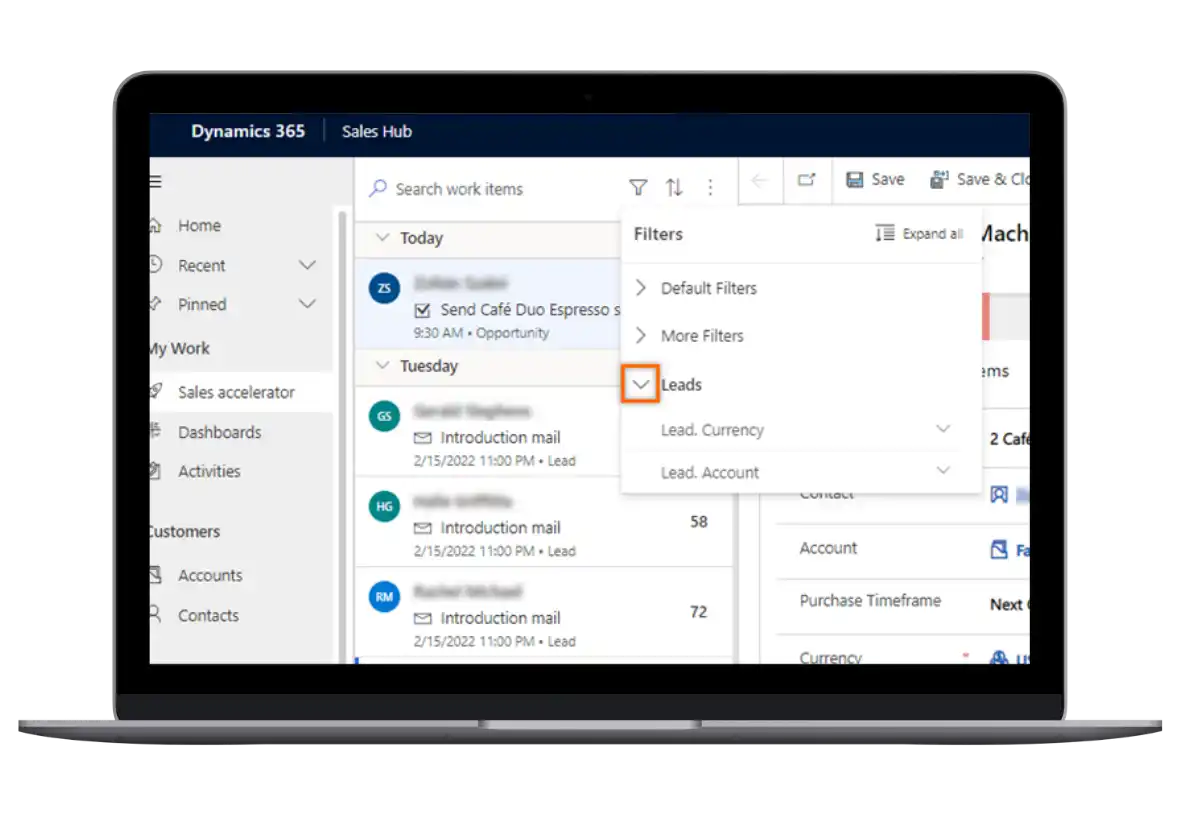
The Sales Accelerator feature combines data, prioritisation and automation to streamline your sales outreach.

Prioritised work lists
The system builds a priority pipeline based on lead scores, engagement history and likelihood to close. Your team always knows what to work on next, without having to decide for themselves.
Guided selling with playbooks
Create pre-defined playbooks that guide reps through your sales process. Include call scripts, email templates and next-step recommendations. New team members get up to speed faster, and your best practices become standard across the team.
Automated sequences
Set up follow-up sequences that nurture leads over time. The system sends emails, creates tasks and schedules calls based on your rules. No lead goes quiet because someone forgot to follow up.
Reporting
Clear Visibility into Your Pipeline.
Stop relying on spreadsheets for forecasting.

Real-time Dashboards
Interactive dashboards show your pipeline, win rates and team performance. Filter by rep, territory or product line. Everyone works from the same data.

Accurate Forecasting
Build forecasts based on your actual pipeline. Track changes over time and adjust your strategy as deals progress. Export forecasts to Excel for further analysis when needed.

Performance Tracking
Monitor individual and team performance against targets. Identify where coaching is needed. Spot what your best performers do differently and replicate it.
Connected
Integration with Your Business Systems.
Dynamics 365 Sales connects to the tools you already use.
Microsoft Ecosystem
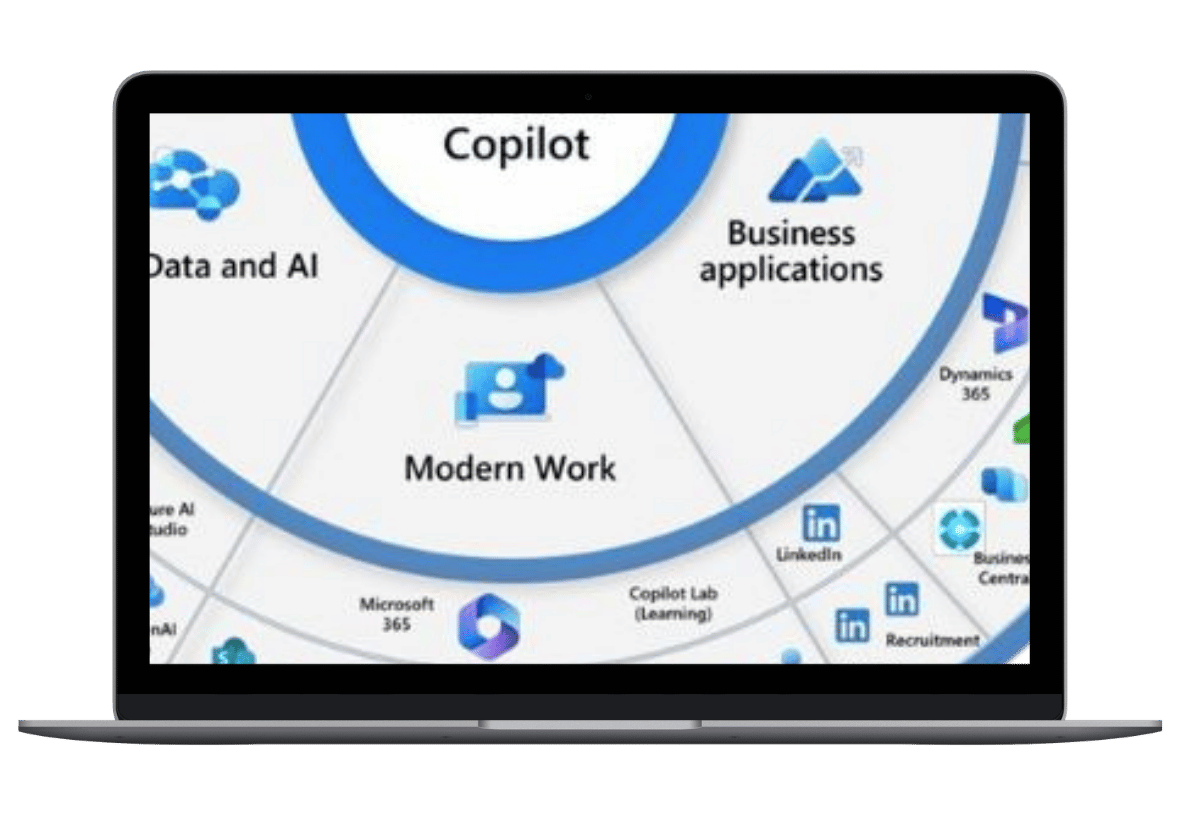
Dynamics 365 Sales is built to work inside the Microsoft tools your team uses every day. Emails in Outlook link automatically to customer records. Meetings booked in Teams attach to the relevant opportunity. Documents stored in SharePoint are accessible directly from the CRM.

Power Automate
Power Automate lets you build workflows that connect Dynamics 365 Sales to the rest of your business. You don’t need a developer to set them up. Common examples include automatic task creation when a lead reaches a certain score, approval requests sent to a manager when a discount exceeds a threshold, and notifications pushed to a Teams channel when a deal is marked as won.

Third-party Connections
Dynamics 365 Sales connects to a wide range of external tools through pre-built connectors and custom APIs. Common integrations include:
- Marketing automation platforms such as Click and Mailchimp
- Accounting software including Xero, Sage and QuickBooks
- ERP systems including Dynamics 365 Business Central and SAP
- LinkedIn Sales Navigator for prospect intelligence inside the CRM
- E-commerce platforms, so order history sits alongside sales activity
Editions and pricing
Which Edition Is Right for You?
Sales Professional
Core CRM for smaller teams: leads, opportunities, quotes and orders, Outlook and Teams integration, and standard reporting.
Sales Enterprise
Adds forecasting, territory management, advanced customisation and Copilot in Dynamics 365 Sales, Outlook and Teams. The right fit for most growing manufacturers and distributors.
Sales Premium
Everything in Enterprise, plus full Sales Insights, predictive forecasting, relationship analytics and 1,000 Copilot Credits per user per month to run sales agents.
Dynamics 365 Sales Pricing: Compare Editions
| Compare editions | Professional | Enterprise | Premium |
|---|---|---|---|
| Lead, opportunity, quote and order management | Yes | Yes | Yes |
| Mobile app, Outlook and Teams integration | Yes | Yes | Yes |
| Reporting and dashboards | Yes | Yes | Yes |
| Customisation and automation | Limited | Yes | Yes |
| Forecasting, sales goals and territories | No | Yes | Yes |
| Copilot in Dynamics 365 Sales, Outlook and Teams | No | Yes | Yes |
| Conversation intelligence | No | Included allowance | Included allowance |
| Sales Accelerator and predictive lead scoring | No | Included allowance | Full |
| Predictive forecasting and relationship analytics | No | No | Yes |
| Copilot Credits to run sales agents | Buy separately | Buy separately | 1,000 per user/month |
Microsoft UK list prices, excluding VAT, on annual commitment. Correct as of November 2026. Implementation and any add-on licences are priced separately.
Why Tecvia
Why Choose Tecvia as Your Dynamics 365 Sales Partner?
Buying the software is straightforward. Getting value from it takes proper implementation. We are certified Microsoft partners, delivering Dynamics 365 for businesses across the UK.
A scope you sign off
before we build
We agree a Functional Requirements Document with you before any build starts. What you are quoted reflects what the work actually takes, not what a sales target says it should.

Privately owned,
so we answer to you
No parent group, no investors, no quarterly targets set by someone who will never meet you. If something needs sorting, you are already talking to the people who can sort it.

End-to-end
service
We manage your project from planning through training and into ongoing support.

Practical
approach
We configure systems your team will actually use. No unnecessary complexity, no bloated scope.
Already Using Business Central? Let AI Sales Agents Take On the Admin
If your business runs on Business Central, Microsoft’s AI sales agents can take routine order and quote admin off your team. They work alongside Dynamics 365 Sales, or on their own if Business Central is your only system.
- Sales leaders and directors
- Sales reps and account managers
- Sales operations and administrators
Inspect. Design. Empower. Activate.
How We Implement Dynamics 365 Sales.
We follow our four-stage IDEA method: Inspect, Design, Empower, Activate. See how our implementation process works in more detail.
Inspect
We start by understanding your sales process from end to end. We run workshops with your sales leaders, reps and anyone else who interacts with the CRM. We look at how you currently manage leads, track opportunities, handle follow-ups and report on performance.
Design
With requirements agreed, we begin building your solution. This covers system configuration, any custom development, third-party integrations, and data migration from your existing spreadsheets or CRM. We set up a test environment so nothing touches your live data.
Empower
We train your team on the system they will actually be using, not a generic demo environment. We use a train-the-trainer approach to make sure the right people get the right level of training. After training, your team carries out User Acceptance Testing, working through your real sales scenarios.
Activate
We deploy the final solution to your production environment, complete the data migration, and confirm all integrations are live. Your team goes live with Tecvia on hand throughout the transition.
The Microsoft stack
Works Even Better With.
Dynamics 365 Sales sits in the wider Microsoft stack. These are the systems our clients most often connect it to.

Business Central
Pass won deals straight into orders, stock and invoicing in your ERP.
Explore Business Central


Talk to us
Book a Free Dynamics 365 Sales Demo.
Book a Free Consultation
See Dynamics 365 Sales working on your own sales process. Tell us which parts matter most, whether that is lead scoring, forecasting or the link to Business Central, and we will build the demo around them.
What Happens Next
- A same-day reply: we aim to come back to you the same working day, and it will be someone who knows the product rather than a call handler.
- A short call: on how your team sells now and what you want to see.
- A live demo: built around your process. No generic slide deck.

Your questions answered
Dynamics 365 Sales FAQs.
What is Dynamics 365 Sales?
Dynamics 365 Sales is Microsoft’s cloud-based CRM platform. It helps sales teams manage leads, track opportunities, automate tasks and forecast revenue. It includes AI features that score leads, provide conversation insights and recommend next actions, and Copilot is built into the Enterprise and Premium editions.
How much does Dynamics 365 Sales cost in the UK?
Microsoft’s UK list prices are £50.00 per user per month for Sales Professional, £80.70 for Sales Enterprise and £115.30 for Sales Premium, paid yearly and excluding VAT (correct as of November 2026). Implementation costs vary based on your setup. Contact us for a detailed quote.
How long does a Dynamics 365 Sales implementation take?
A typical implementation takes 8 to 12 weeks. This covers discovery, configuration, data migration, testing and training. Simpler deployments can be completed faster. Complex customisations or integrations may take longer.
Can Dynamics 365 Sales connect to our existing systems?
Yes. The platform connects to Microsoft 365, Outlook, Teams and Power BI by default. It also integrates with marketing automation tools, accounting software, ERP systems such as Dynamics 365 Business Central, and other business applications through Power Automate or custom APIs.
Do we need technical knowledge to use it?
No. The interface works inside tools your team already uses, including Outlook and Teams. We provide full training during implementation. Your team can manage leads, update opportunities and log activity without any technical background.
Does Dynamics 365 Sales work offline?
Yes. The mobile app lets your team access customer data and update records without an internet connection. Changes sync automatically when they reconnect. This is particularly useful for field sales teams who visit customer sites.
What happens to our existing customer data?
We migrate your data from spreadsheets, existing CRMs or other systems into Dynamics 365 Sales. We clean and structure the data during migration, so your team starts with a complete and accurate customer history from day one.
What is the difference between the three editions?
Sales Professional covers core CRM: contacts, leads, opportunities, quotes and standard reporting. Sales Enterprise adds forecasting, territory management, advanced customisation and Copilot in Dynamics 365 Sales, Outlook and Teams. Sales Premium adds full Sales Insights, predictive forecasting, relationship analytics and 1,000 Copilot Credits per user per month to run sales agents.
Can we try Dynamics 365 Sales before committing?
Yes. Microsoft offers a free trial. We can also arrange a personalised demonstration to show you how the system would work for your specific business. Get in touch to arrange one.
For anything not covered here, get in touch directly. We’re happy to answer questions specific to your business and your Dynamics 365 Sales needs.