Updated April 2026
Overview
Enterprise Resource Planning (ERP) software helps businesses manage core operations from a single system. This guide explains what ERP is, how it developed, the key modules it includes, and what to consider when choosing the right solution.
What Does ERP Stand For?
ERP stands for Enterprise Resource Planning. It describes software that businesses use to manage core operations from a single platform. These operations include accounting, purchasing, inventory, sales, project management, and supply chain activities.
The main purpose of ERP is integration. Instead of using separate systems for finance, stock, and customer orders, businesses manage everything within one platform. As a result, teams work from the same data, which reduces errors and supports faster decision-making.
A Brief History of ERP
The concept of ERP dates back to the 1960s. Early systems focused on inventory management and helped manufacturers track stock levels. During the 1970s and 1980s, these systems expanded to include production planning and scheduling, which led to what became known as Manufacturing Resource Planning (MRP).
By the 1990s, software providers had broadened these tools to cover finance, HR, and customer management. The term “ERP” came into widespread use during this period. Since then, ERP has continued to evolve, moving from on-premise servers to cloud-based platforms and incorporating artificial intelligence and automation.
Today, ERP is not just for large enterprises. Cloud-based options like Microsoft Dynamics 365 Business Central make it practical and affordable for small to medium-sized businesses too.
The Key Components of an ERP System
ERP systems vary by provider and industry, but most include a core set of modules. Each module manages a specific area of the business, and all of them share the same underlying data.
Financial Management
The finance module handles your general ledger, accounts payable, accounts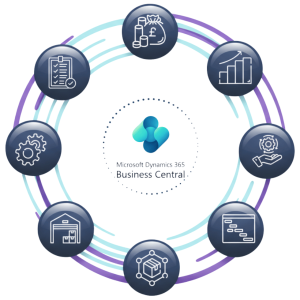 receivable, tax management, and financial reporting. Because it connects to other modules, financial data updates in real time as transactions happen across the business.
Supply Chain and Inventory Management
This module tracks stock levels, manages purchase orders, and monitors supplier performance. When a sale goes through, the system updates inventory automatically. That means your purchasing team can react quickly to replenishment needs without chasing information from other departments.
Sales and Customer Management
ERP systems typically include tools to manage customer orders from quote through to despatch. Some systems also include a built-in CRM (Customer Relationship Management) module, which helps you track customer interactions, manage pipelines, and monitor satisfaction levels.
Purchasing and Procurement
The purchasing module automates the process of raising and approving purchase orders, matching invoices to deliveries, and managing supplier contracts. This cuts down on manual admin and reduces the risk of overpaying or duplicating orders.
Manufacturing and Production Planning
For businesses that make products, the manufacturing module manages production schedules, bills of materials, work orders, and capacity planning. It links directly to inventory so that production adjusts when stock levels change. Note that manufacturing features in Business Central require a Premium licence.
Reporting and Analytics
ERP systems consolidate data across every module and make it available for reporting. You can build dashboards to monitor KPIs, run financial reports, and analyse trends across sales, stock, and production. Because the data comes from one source, you can trust it to be accurate and current.
How Integration Makes ERP Different
Many businesses start out with separate tools for different functions. The finance team uses one system, the warehouse uses another, and sales teams manage their own spreadsheets. This creates gaps. Data gets duplicated, errors creep in, and nobody has a complete picture of what is happening.
ERP solves this by connecting everything. When a customer places an order, the system updates stock levels, triggers a dispatch task, generates an invoice, and records the revenue. No manual data entry is needed between steps.
Research shows that ERP can increase on-time delivery by up to 24%. That improvement comes directly from better information flow. When your warehouse, finance, and sales teams all see the same data at the same time, they can make faster and better decisions.
Choosing the Right ERP System
Not every ERP system suits every business. Before you choose, you need to think carefully about a few key factors.
Business size and complexity. Some systems are built for large enterprises with complex, global operations. Others are designed for growing SMEs that need a practical, affordable solution. Matching the system to your current size, and your growth plans, matters.
Industry fit. Certain ERP systems include features built for specific industries, such as food and beverage traceability, life sciences compliance, or manufacturing production planning. A system designed with your sector in mind will require less customisation.
Cloud versus on-premise. Cloud-based ERP systems are now the standard for most businesses. They reduce IT overhead, update automatically, and allow users to access the system from anywhere. On-premise deployments still exist but are increasingly rare for new implementations.
Implementation support. ERP implementation takes time and planning. You will need to migrate data, configure the system, train your team, and test everything before going live. Choosing a partner with proven implementation experience reduces the risk of delays and cost overruns.
Common ERP Mistakes to Avoid
ERP projects fail for predictable reasons. Underestimating the time required for data migration is one of the most common. If your historical data is inconsistent or poorly structured, cleaning it up takes longer than most businesses expect.
Poor user adoption is another. Even the best system delivers nothing if your team does not use it properly. Budget time for proper training and make sure your people understand why the change is happening.
Finally, choosing a system that does not fit your industry or growth plans creates problems later. A system that works well at 20 users may struggle at 100. Think ahead.
Why ERP Matters for Growing Businesses
As your business grows, manual processes start to break down. Spreadsheets become unmanageable, communication between departments slows down, and errors become more costly. ERP gives you a platform that scales with you.
It also gives you visibility. When you can see your financial position, stock levels, and order pipeline in real time, you make better decisions faster. That visibility is what separates businesses that grow confidently from those that react to problems after they have already happened.
Tecvia is a Microsoft Dynamics 365 Business Central partner based in Manchester. We help businesses across manufacturing, food and beverage, distribution, and life sciences implement and get the most from Business Central. If you are considering your first ERP system or thinking about moving on from an older platform, get in touch for a free consultation.
Recommended reading
Understanding the role of an ERP specialist across key industries
Tecvia transforms moving mountains with Microsoft Dynamics 365 Business Central