Dynamics NAV to Business Central Migration

Upgrade to Business Central Before NAV Support Ends

Every version of Dynamics NAV has now lost mainstream support. Extended support for NAV 2017 ends in January 2027. Tecvia plans and delivers your NAV to Business Central migration, with your data and history intact.

What Is Microsoft Dynamics NAV?

Microsoft Dynamics NAV is an on-premises ERP system for small and mid-sized businesses. It runs your finance, stock, purchasing, sales and supply chain in one system. You may still know it by its original name, Navision.

Microsoft bought Navision in 2002 and renamed it Dynamics NAV in 2005. After NAV 2018, Microsoft stopped releasing new versions and launched Business Central as its successor.

Many UK businesses spent years customising NAV to fit their processes. Those changes now make every upgrade slower and more expensive. They also make it harder to connect NAV to cloud tools such as Power BI and Copilot.

Because NAV runs on your own servers, your team also carries the cost of hardware, security patches and manual upgrades. For more on the risks, read our guide to Dynamics NAV end of support.
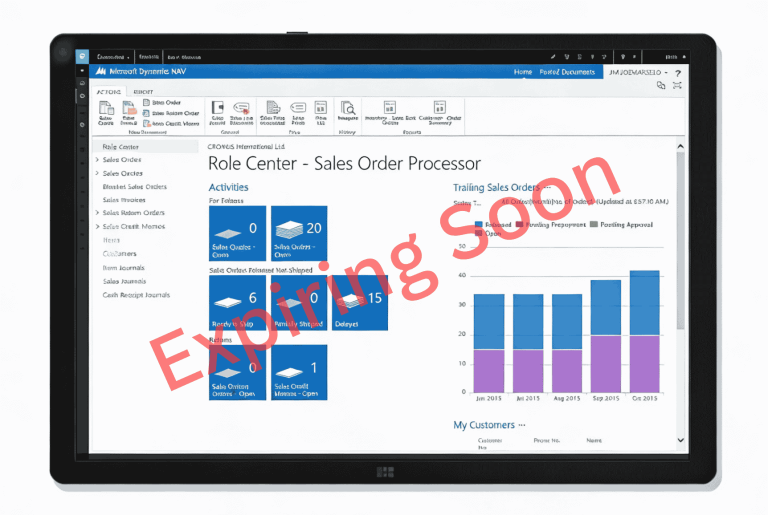
Dynamics NAV to Business Central migration

When Does Dynamics NAV Support End?

Microsoft supports each NAV version for ten years. Mainstream support runs for the first five, followed by five years of security patches only. After that, Microsoft stops all updates for that version.

VersionMainstream Support EndedExtended Support Ends
NAV 2013 and 2013 R29 January 2018Ended 10 January 2023
NAV 201514 January 2020Ended 14 January 2025
NAV 201613 April 2021Ended 14 April 2026
NAV 201711 January 202211 January 2027
NAV 201810 January 202311 January 2028

If you run NAV 2016 or earlier, your system already receives no security patches. NAV 2017 joins that list in January 2027.

No More Security Patches

Once extended support ends, Microsoft stops fixing security flaws in NAV. Attackers can then exploit any new weakness in your system. That risk grows each month you hold customer and financial data on NAV.

No Technical Support

Microsoft offers no fixes or helpdesk support for an out-of-support version. If something breaks, your own team or partner must solve it alone. Serious faults then take longer to fix and cost more.

Compliance and Certification Risks

Cyber Essentials requires your in-scope software to receive vendor security updates. Unsupported NAV can therefore cost you certification, which many UK public sector contracts require. Businesses in food and beverage, life sciences and medical devices face extra audit scrutiny too.

Missed Capabilities

Microsoft designed NAV for on-premises servers, not the cloud. So you get limited or no access to Copilot, Power BI's ready-made apps and Teams integration. Business Central gives you access to all three.

Every month on unsupported NAV adds risk. Moving to Business Central puts you back on a fully supported system.

Why Move from NAV to Business Central?

Business Central is Microsoft’s successor to NAV and shares the same core code. Microsoft rebuilt it for the cloud and Microsoft 365. So you keep the processes your team knows and gain the tools NAV lacks.

Cloud Access from Any Device

Business Central online runs on Microsoft's cloud. Your team can work securely from the office, from home or on site. You also stop paying to run and maintain your own servers.

Automatic Updates

Microsoft releases two major Business Central updates a year, in April and October. Smaller monthly updates follow in between. You get new features without a costly upgrade project.

Copilot Built In

Copilot comes with Business Central online at no extra licence cost. It suggests sales lines, matches bank transactions and summarises records. NAV has no Copilot features at all.

Real-Time Reporting

Role-based dashboards show live figures for finance, sales and stock. You see how the business is performing without waiting for month-end. Connect Power BI for deeper analysis across all your data.

Connected to Microsoft 365

Business Central works inside Outlook, Excel and Teams. Your team can view and update records without switching apps or exporting data. See how this helps manufacturers, distributors and food and beverage businesses.

A Familiar Feel

Business Central keeps NAV's core logic for orders, journals and stock. Your team already knows these processes. Training can then focus on what has changed, so staff settle in faster after go-live.

Check our Business Central pricing for licence costs, or see the full list of Business Central features.

How Does a NAV to Business Central Migration Work?

A NAV to Business Central migration follows six stages. Each stage has a clear output. You always know where the project stands.

  1. 1Assessment: We review your NAV version, customisations, integrations and data. You get a clear scope, timeline and cost before work starts.
  2. 2Migration route: We confirm the right route for your NAV version. That is either a technical upgrade through Business Central on-premises or a clean reimplementation.
  3. 3Customisations: We rebuild the customisations you still need as Business Central extensions. Where standard features now cover a process, we retire the old code.
  4. 4Data migration: We move your customers, vendors, items, balances and the history you choose to keep. Then we reconcile the figures against NAV.
  5. 5Testing and training: Your team tests day-to-day processes in a sandbox before go-live. We then run role-based training so each user knows their tasks.
  6. 6Go-live and support: We are on hand on go-live day and afterwards. Our support team then handles questions, fixes and new requirements.

Most migrations take between six and sixteen weeks. Your NAV version, the depth of your customisations and the number of integrations decide where you fall. See our implementation approach for more detail.

The Tecvia team, Microsoft Dynamics 365 Business Central partner in Manchester

Why Choose Tecvia for Your NAV Migration?

Tecvia is a Manchester-based Microsoft Solutions Partner for AI Business Solutions. We implement and support Business Central for UK SMEs in manufacturing, food and beverage, distribution, life sciences and medical devices.

  1. 1Industry focus: We know the processes in your sector, from batch traceability to multi-site stock. We plan your migration around how your business runs.
  2. 2Direct access: As a small team, you work with the consultants who assess, build and support your system. You never get passed between departments.
  3. 3Connected systems: We link Business Central to the tools around it, including Power BI, Copilot and Shopify. Your migration covers the whole system, not just the ERP.
  4. 4Support after go-live: Questions and new requirements come up once your team settles in. Our support team handles fixes, training and development as your business grows.

Read why a NAV migration needs a specialist, not a generalist, or see how other businesses made the move in our case studies.

Book a Free NAV Migration Assessment

Start with a free, no-obligation assessment of your NAV system.

Running NAV 2017? Extended support ends on 11 January 2027. Most migrations take six to sixteen weeks, which leaves little time to spare.

  • ✓A same-day reply: we aim to come back to you the same working day, with someone who knows NAV and Business Central.
  • ✓A review of your NAV system: we look at your version, customisations and integrations.
  • ✓A written outline: we set out your migration route, timeline and cost, with no obligation to proceed.

Already working with a NAV partner? See how a partner transfer works, or read our NAV end of support guide.

Dynamics NAV to Business Central migration assessment

NAV to Business Central Migration FAQs

It depends on your version. Extended support ended for NAV 2016 on 14 April 2026 and ends for NAV 2017 on 11 January 2027. NAV 2018, the final release, loses extended support on 11 January 2028. After those dates, Microsoft releases no further security patches.

Yes, NAV keeps running after support ends. However, Microsoft stops fixing security flaws, so your system becomes more exposed each month. Under Cyber Essentials v3.2, unsupported software can also cost you certification, which many UK contracts require.

Yes. Microsoft released Business Central in 2018 as NAV’s successor. NAV 2018 was the final NAV version. Business Central shares NAV’s core code and adds cloud access, Copilot and Microsoft 365 integration.

A migration runs through six stages: assessment, choosing the migration route, rebuilding customisations, data migration, testing and training, then go-live and support. Tecvia gives you a clear scope, timeline and cost after the assessment, before any build work starts.

No. You must upgrade NAV to Business Central on-premises first. From NAV 2015 to 2018, that means version 14, then version 25, then the current release. NAV 2013 needs a move to NAV 2018 first. After that, you run Microsoft’s cloud migration tool to move online.

Most migrations take between six and sixteen weeks. Your NAV version, the depth of your customisations and the number of integrations decide where you fall. We confirm your timeline in writing after the assessment.

Costs depend on your number of users, your licence type and how much customisation needs rebuilding. Business Central online uses monthly per-user licences, plus a one-off implementation fee. See our Business Central pricing page, or book a free assessment for a written estimate.

Yes. Tecvia migrates your customers, vendors, items, balances and the history you choose to keep. We then reconcile the migrated figures against NAV before go-live, so you can check every balance.

During the assessment, we review every customisation. We rebuild the ones you still need as Business Central extensions. Where standard features now cover a process, we retire the old code, which makes future updates simpler.

Yes. Microsoft still offers Business Central on-premises for businesses that need to keep data on their own servers. However, some features, including several Copilot tools, only work in Business Central online. We help you weigh up both options during the assessment.

Yes. Business Central connects with Microsoft 365, Power BI, CRM systems and a wide range of third-party apps. For online retailers, Tecvia also connects Business Central with Shopify.

Tecvia is a Manchester-based Microsoft Solutions Partner for AI Business Solutions. We specialise in manufacturing, food and beverage, distribution, life sciences and medical devices. As a small team, you work directly with the consultants who assess, build and support your system.

Yes. Our support team handles questions, fixes, training and new development after go-live. Your system keeps developing as your business grows.