Overview
This guide covers the Dynamics GP end of life dates, your realistic options and the steps involved in moving to Business Central. It also explains how UK manufacturers and distributors can plan the move without disrupting day-to-day trading.
Key Takeaways
- Microsoft stopped selling new subscription licences to new GP customers on 1 April 2026.
- Technical support, regulatory updates and service packs end on 31 December 2029.
- Security updates continue until 30 April 2031, but you should not plan around that date.
- Business Central is the path Microsoft recommends, and it runs in the cloud with automatic updates.
- Starting in 2027 gives you time to review customisations, clean your data and train your team.
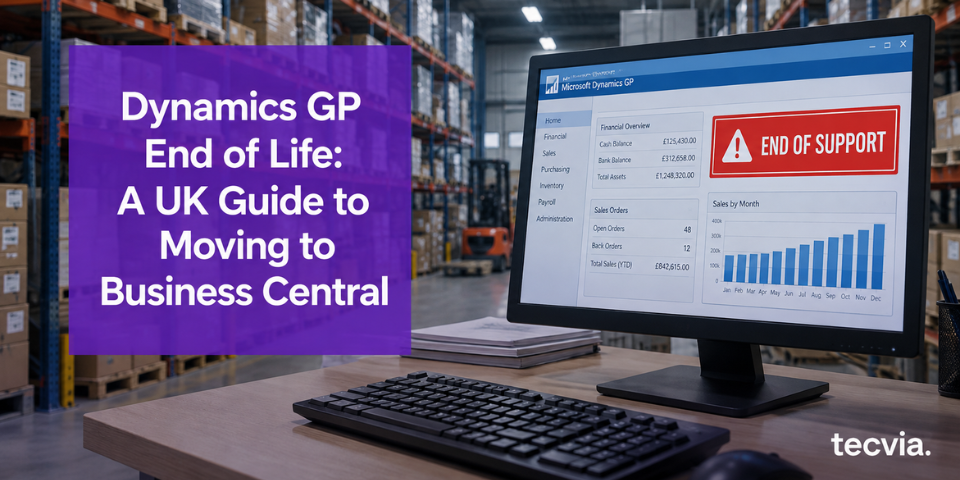
Dynamics GP end of life now has confirmed dates. Microsoft stopped selling new subscription licences to new customers on 1 April 2026. Technical support and service packs end on 31 December 2029, so you have a limited window to plan. If you run GP today, you need a clear decision on what replaces it.
This guide explains what the dates mean for UK businesses. It compares your options and sets out how a move to Business Central works. You will also find a checklist of what to review before you speak to a partner.
What Dynamics GP End of Life Means for UK Businesses
Microsoft confirmed the timeline in stages. Each date affects you differently, so read them one by one.
- Microsoft stopped selling new perpetual licences to new customers on 1 April 2025.
- New subscription licence sales to new customers stopped on 1 April 2026.
- On 31 December 2029, product enhancements, regulatory updates, service packs and technical support end.
- Security updates end on 30 April 2031, which marks the official end of life.
Your current GP system keeps running, and nothing stops on the day support ends. But the system stops receiving service packs and regulatory updates, which means you must handle every change in tax or reporting rules yourself.
Fewer new customers also affects the wider GP market. Partners and add-on developers tend to invest where new sales happen. As a result, you may find it harder to hire GP skills or buy updates for third-party products.
UK finance teams feel this early. For example, Making Tax Digital for VAT depends on software that keeps pace with HMRC rules. An unsupported finance system adds risk to that process.
Why You Should Not Wait Until 2029
Three years sounds generous, but project time disappears quickly. Consider an illustrative calculation. If you start planning in January 2027, you have 36 months before 31 December 2029.
Now subtract the steps that come before technical work. You need budget approval, a partner and agreed requirements. If those take six months, you have 30 months left for delivery.
That still looks comfortable. However, delivery depends on your financial year-end, your audit calendar and your busiest trading periods. A food manufacturer with a peak before Christmas, for example, will avoid going live in November.
Waiting also carries cost. Consider these risks:
- Partner diaries may fill as more GP customers decide at the same time.
- Your team has less time to test, because the same people also run daily trading.
- Auditors, insurers and regulated customers may question an unsupported finance system.
- A rushed project gives you less room to phase work across two financial years.
NAV customers face the same pressure. Our guide to Dynamics NAV end of support shows how those dates affect your options, and the lessons apply to GP as well.
Your Options When Dynamics GP Support Ends
You have four realistic options. Each one carries a different cost, risk and level of effort.
Stay on Dynamics GP
You can keep running GP after 31 December 2029. However, Microsoft provides no service packs or technical support after that date. Security updates continue until 30 April 2031, then stop. This option works only as a short bridge, not as a long-term plan.
Host Dynamics GP in Azure
Hosting moves GP onto Microsoft’s cloud servers. It removes your on-premises hardware, but it does not change the support dates. You still reach the same end of life, only on different infrastructure.
Move to Another ERP
A different ERP vendor means a new relationship, new data structures and new add-ons. This route adds change in every area, including your integrations and your Microsoft 365 connections. It can suit businesses with unusual requirements, so test your needs against Business Central first.
Move to Business Central
Business Central is the path Microsoft recommends for GP customers. You stay in the Microsoft ecosystem, so your Outlook, Excel and Teams connections carry over. Microsoft also provides a migration tool that replicates GP data into Business Central.
Why Business Central Suits Dynamics GP Users
Business Central runs in the cloud, so your team can work from any location on any device. Microsoft delivers updates automatically, which means you avoid major version upgrade projects. You also stop managing your own servers.
The system works inside the Microsoft tools your team already uses. Excel, Outlook and Teams connect to your data without manual exports. Our Business Central features page shows what the system covers, from finance to production.
Reporting improves too. Power BI connects to live Business Central data, so your managers see margin and stock levels without waiting for month-end. Microsoft Copilot adds further tools for drafting and summarising.
Some concepts work differently. For example, GP builds its chart of accounts from segments, while Business Central uses dimensions for analysis. Customisations also change, because Business Central uses extensions instead of direct code changes. Your partner should map these differences before migration starts.
How a Dynamics GP to Business Central Migration Works
The process follows the same structured approach we use for NAV to Business Central migrations. Assessment comes first, and technical work follows.
- System assessment: We review your GP version, modules, customisations, add-ons and integrations.
- Data review: We agree which balances, master records and history move across, and which stay in an archive.
- Configuration: We set up Business Central, including dimensions, posting groups and extensions.
- Migration and testing: We run trial migrations, then test finance, stock and sales processes against your real data.
- Training: Your team learns the new system through role-based sessions.
- Go-live and support: We stay with you through your first month-end and beyond.
Microsoft’s migration tool moves data, but it does not rebuild your customisations or integrations. Those need separate work, so scope them early. Our implementation service page explains how we deliver each stage.
Timelines vary with data volume, customisation and the number of integrations. Confirm yours during an assessment rather than relying on a generic estimate.
What You Need Before You Start
Mirroring does a lot, but it still needs planning. Check these six points before you commit.
- A Fabric capacity. Mirrored data lives in OneLake, so you need Microsoft Fabric in your tenant. In September 2026, Microsoft introduced on-demand billing and a zero-provisioned F0 capacity, both in preview. Together, they lower the barrier for smaller businesses.
- Deliberate table selection. Mirroring everything is tempting. However, it costs more and makes models harder to use. Start with the tables behind your key reports.
- A plan for schema changes. Business Central receives two major updates a year, as our 2026 release wave 2 preview shows. Extensions also add fields. Your mirror and reports must cope when the schema moves.
- Integration hygiene. Microsoft keeps retiring older connection methods, such as the removal of SOAP web services in version 29. Review your other integrations while you plan the mirror.
- Security and access. Fabric permissions control mirrored data, not Business Central permissions. Decide who sees what before go-live, especially for finance and payroll data.
- Business Central online. These routes target Business Central online. On-premises customers have different options. For many, a move to the cloud makes more sense long term. Our Migrate from NAV page explains how that move works.
Mirrored tables also arrive raw. You still need a clean Power BI semantic model on top to give users consistent answers.
What to Check Before You Start
A short review now saves weeks later. Gather the following before you speak to a partner:
- Your GP version and the modules you use, such as Manufacturing or Fixed Assets.
- Third-party add-ons, and whether each one has a Business Central equivalent.
- Integrations with banks, EDI providers, ecommerce platforms and payroll.
- Reports your team relies on, including SmartList views and Management Reporter statements.
- Your financial year-end, audit dates and peak trading periods.
- Customisations your team or a previous partner built, such as custom reports and VBA modifications.
Bring this list to your first conversation. It lets us give you a realistic scope and timeline. Our guide on why a migration needs a specialist, not a generalist explains why industry experience matters at this stage.
Dynamics GP End of Life for UK Manufacturers and Distributors
Manufacturers and distributors often rely on GP for stock, purchasing and costing. Those processes carry years of configuration, so industry knowledge matters when you choose a partner.
We specialise in Business Central for manufacturing and engineering, food and beverage, distribution and wholesale, life sciences and medical devices and technology. Each industry page explains the controls we build in, such as batch traceability and quality checks.
What This Means for Your Business
Dynamics GP end of life gives you a fixed deadline and several years to act. Starting early lets you choose your timing and protect your year-end. It also spreads cost across financial years.
Tecvia is a Manchester-based Microsoft Solutions Partner for AI Business Solutions. We can review your GP setup, recommend a migration path and give you a timeline and cost estimate.
Contact Tecvia to book your assessment. You can also read about our Business Central implementation service or check Business Central pricing.