Overview
Welcome to the next instalment of Hidden Gems. This Tecvia series covers Business Central features that cost nothing extra but rarely get the attention they deserve. This time, we are looking at financial reporting tools. If your finance team still rebuilds the same reports in Excel every month, there is a good chance several of these features are already switched off inside your system.
Before you read further, be honest about these four questions:
- Does your month-end process still involve exporting data and rebuilding spreadsheets?
- Do you have a clear view of which product lines, departments, or projects actually generate margin?
- Is bank reconciliation still taking several hours each week?
- Are you using the same five reports you were running at go-live?
If any of those land, you are leaving value on the table. Every feature in this post is already included in your Business Central licence.
Why So Many Reporting Features Go Unused
Most finance teams in Business Central settle into a routine early. They run the same five reports every month, export the same data to Excel, and rebuild the same pivot tables when month-end approaches. Once that routine works, nobody goes looking for what else the system can do.
This is a common pattern. A recent Tecvia review of standard Business Central features you’re paying for but not using found that several core tools sit unused in most go-lives. They cost nothing extra to activate, yet nobody flips the switch.
Financial reporting follows the same pattern. The features below already exist in your licence, covering everything from cost allocation to bank matching. You only need to switch them on.
Dimension Analysis: See Beyond the Chart of Accounts
Dimension analysis lets you tag every transaction with extra detail, such as department, project, or location, without changing your chart of accounts. Because the dimensions sit on top of the ledger, you can slice the same data multiple ways without duplicating accounts.
For example, a manufacturer can track cost by production line and by customer at the same time, using two separate dimensions because each one captures a different layer of detail. This avoids the trap of building a chart of accounts with hundreds of near-identical lines, which is what happens when dimensions are ignored.
Most businesses set up one or two dimensions during implementation and stop there. Adding a third or fourth dimension later usually requires no new development, because it just takes a short configuration session with your partner. The reward is a much sharper view of performance without touching the underlying ledger structure.
Account Schedules: Build Your Own Reports Without a Developer
Account schedules let you build custom financial reports directly inside Business Central’s financial management module, without exporting to Excel or commissioning custom development. You define rows for accounts or dimension combinations, then choose how columns display periods, budgets, or comparisons.
Because the structure is reusable, you build a report once and rerun it every month with current figures. Most businesses use account schedules for management accounts, departmental P&Ls, or budget-versus-actual comparisons.
If your finance team still rebuilds the same report in Excel every month, this is usually the fastest fix available. The output looks different from a Power BI dashboard. It serves a different purpose, though, since account schedules suit detailed, structured financial statements that follow strict UK reporting conventions.
Once a schedule is built correctly, your team stops repeating the same manual work every reporting cycle.
Cost Accounting: Understand Where Margin Is Really Made
Cost accounting in Business Central goes beyond the general ledger by letting you allocate costs across cost centres, cost objects, and cost types. This gives you a clearer view of where money is spent and where margin is actually generated.
Manufacturers and engineering businesses benefit the most because their costs rarely map cleanly onto a simple chart of accounts. A production line, for example, might draw on shared overheads. Those overheads then need allocating across several product lines.
Cost accounting sits alongside dimensions rather than replacing them. Used together, they give finance teams a much sharper view of profitability by product, by project, or by customer. That is exactly the detail most management reports are missing.
Setting up cost accounting takes some upfront thinking about how overheads should be allocated. After that, the model runs automatically with each posting.
Bank Reconciliation Automation: Stop Matching Transactions by Hand
Bank reconciliation in Business Central can run almost entirely on autopilot when live bank feeds are connected. The system matches transactions to open entries automatically. Your team only reviews the exceptions rather than checking every line.
Many finance teams still spend several hours each week on manual reconciliation, despite this feature being available at no extra cost. Switching it on usually requires nothing more than connecting your bank feed and confirming matching rules during setup.
This is one of the clearest examples of a feature that pays for itself almost immediately. Once it runs correctly, reconciliation becomes a daily five-minute check instead of a monthly scramble.
Copilot and Financial Reporting: Asking Instead of Building
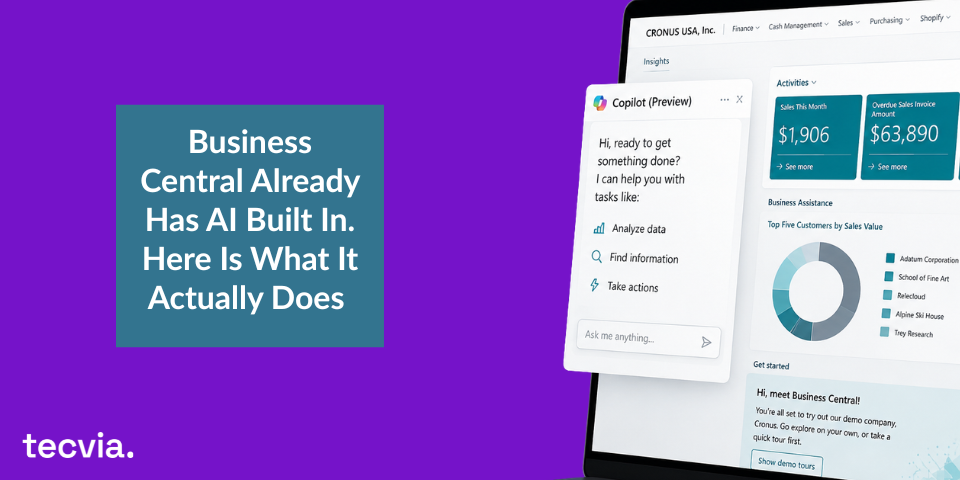
Copilot adds a different layer to Business Central’s reporting and analytics tools. Rather than building a report from scratch, you can ask a question in plain language and get an answer drawn directly from your live ledger.
Ask Copilot to summarise overdue balances by customer, or to flag transactions that look unusual after comparing them with normal patterns. The system returns the answer immediately, without you needing to build a query or export anything first.
Copilot does not replace account schedules or cost accounting. It sits on top of them, giving your team a faster way to interrogate the same financial data. When the underlying reporting structure is set up properly, Copilot’s answers become considerably more useful, as we covered in Business Central Already Has AI Built In.
The lesson across all five features is the same. Configuration comes first, and the time saving follows once it is in place.
Get the Most From Your Financial Reporting Setup
These five features already sit inside your Business Central licence. Configuring them properly takes more than flipping a switch. Dimensions need planning. Account schedules need structure.
Cost accounting needs a clear allocation model from the start, and bank reconciliation needs the right feed connected before it can run unattended.
Tecvia works with UK manufacturers and distributors to configure financial reporting that actually reflects how their business runs, not a generic template. If you want to see what your current setup is missing, get in touch with Tecvia today to arrange a consultation or a demo.