
Home / Business Central Features / Copilot AI
ERP Copilot Features Built for Everyday Productivity.
Microsoft Dynamics 365 Business Central for Copilot AI
- AI Assistance Where Your Team Already Works
- Automate Routine Tasks With Simple Instructions
- Instant Answers From Your Own Business Data

The overview
AI for ERP: Built Into Business Central.
AI in ERP is no longer a future consideration. Microsoft Copilot is built directly into Dynamics 365 Business Central, giving your team an AI assistant that works alongside them across finance, purchasing, sales, inventory and operations. No separate tool to learn, no data to export. Just intelligent assistance inside the system your business already runs on.
Copilot is included with every Business Central Essentials and Premium licence at no extra cost. It suggests sales lines, drafts customer emails, helps reconcile bank statements and answers questions about your data in plain English.
Microsoft has since gone further with AI agents that take on whole tasks. The Sales Order Agent reads incoming customer emails, checks availability and drafts the quote and the reply. The Payables Agent turns supplier invoices arriving by email into draft purchase invoices. Your team reviews the work before anything is posted. Agents run on Copilot Credits, which Microsoft sells separately: see Business Central pricing.
Because Business Central runs in the cloud, new Copilot features arrive with Microsoft's regular updates, with nothing for you to install.
With 70+ years of combined ERP expertise, Tecvia is a Microsoft Solutions Partner for AI Business Solutions. We configure and implement Business Central with Copilot fully activated, so your team can start using AI from the moment you go live.

Why Business Central
Why Choose Business Central as Your AI ERP System?

AI Assistance Where Your Team Already Works
Copilot works inside Business Central, with full visibility of your live data. It sees your customer records, your purchase orders, your inventory levels and your financial transactions. The assistance it provides is grounded in your actual business context, not generic outputs from a disconnected tool.

Automate Routine Tasks With Simple Instructions
Your team should be spending time on decisions, not repetitive data work. Copilot automates time-consuming tasks across the business. Reconcile bank statements in one click. Draft customer emails based on order history. Generate purchase order suggestions from demand signals. Complete work in seconds that previously took minutes.

Instant Answers From Your Own Business Data
Ask Copilot a question in plain language and get an answer drawn from your live ERP data. Ask for overdue invoices, slow-moving stock or production orders behind schedule and the information is in front of you immediately. No report building, no waiting and no manual data pulls.
What's included
Key Copilot Features.
Ten things Copilot does inside Business Central, working from your own live data.
Bank Reconciliation
Match bank transactions automatically using AI-powered suggestions, reducing manual reconciliation time significantly.
Email Draft Assistance
Generate professional customer communications automatically, with context drawn from order history and account records.
Marketing Text Generation
Create product descriptions for your ecommerce store in seconds, directly within Business Central.
Sales Order Drafting
Generate sales order drafts from email conversations, reducing manual entry and speeding up order processing.
Natural Language Data Search
Find the information you need by typing a question in plain language, without navigating menus or building queries.
Report Generation
Describe the report you need and Copilot generates it, giving your team instant access to the data that matters.
Anomaly Detection
Copilot flags unusual transactions and patterns automatically, so your finance team can focus on exceptions rather than scanning for them.
Intelligent Reorder Suggestions
Receive AI-driven purchasing recommendations based on demand patterns, stock levels and supplier lead times.
Document Summaries
Get concise summaries of long customer communications and documents without reading them in full.
Task Automation
Reduce repetitive manual work across finance, purchasing and sales with simple natural language commands.
Why Tecvia
Why Choose Tecvia.
Tecvia is a Microsoft Solutions Partner specialising in Microsoft Dynamics 365 Business Central for UK manufacturers and distributors. Copilot is part of every Business Central implementation we deliver. We configure the system so AI assistance is built into your workflows from day one, not added as an afterthought. Learn more about how we implement Business Central.
- Configured for your business from day one. We implement Business Central with Copilot fully integrated into your workflows. Your team does not need to figure out how to activate AI features after go-live. It is all there, working with your data, from the start. See our Business Central overview.
- Senior consultants, every time. You will always work with experienced consultants. No juniors, no hand-offs. The same team that configures your system will be there to support you as Copilot capabilities continue to develop.
- Your long-term partner. After go-live we stay with you through fixed monthly support, so the people who set up your system are the ones who look after it.

Free guide
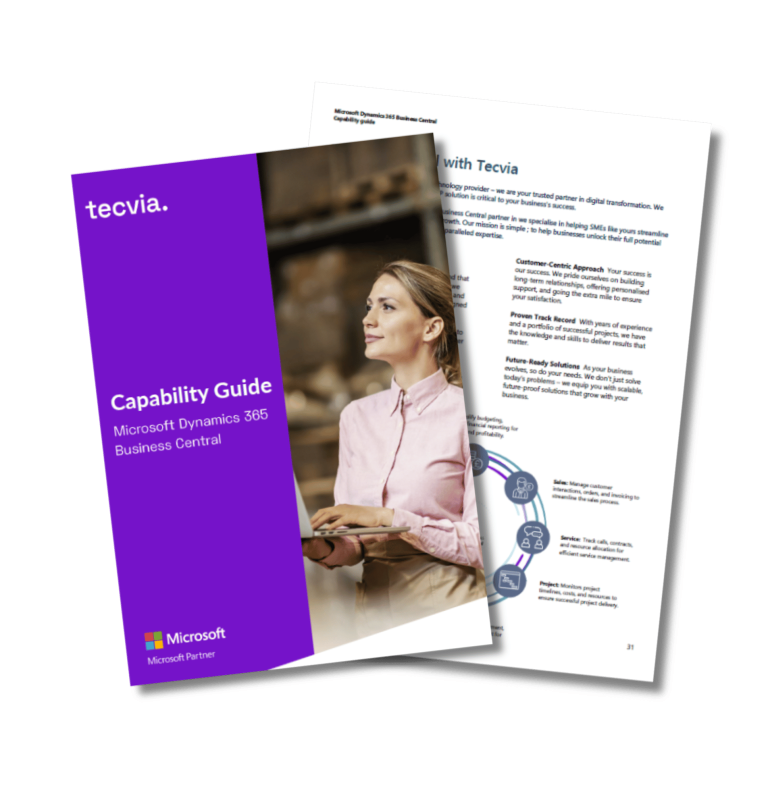
Download Our Capability Guide
Discover the full capabilities of Microsoft Dynamics 365 Business Central, from financial management and reporting to inventory, manufacturing and operations. See how Tecvia can tailor it to your business.
Download the Capability GuideMore features
Explore More Business Central Features.
 Financial Management
 Inventory Management
 Manufacturing
 Purchasing
 Warehouse Management
 Reporting & Analytics
 Quality Management
 Sales
 Service Management
 Project Management
 Copilot AI
 Supply Chain Management
Want to read more? See our Copilot articles.
Talk to us
Speak to Our Copilot Experts.
Ready to put AI to work inside your ERP system? Our senior consultants are here to help. Get in touch today and we will show you what Copilot can do for your business.
Book a Free Consultation
What Happens Next
- A same-day reply: we aim to reply the same working day. You get someone who knows the product, not a call handler.
- A first call: an hour on how you work now. We look at what sits in spreadsheets and where the process breaks. Larger projects often need a site visit.
- A written outline: with cost and timescale. We scope it properly first, so you can compare our number against anyone else.
Your questions answered
Copilot AI ERP FAQs.
What does Copilot in Business Central include?
It covers bank reconciliation, email draft assistance, marketing text generation, sales order drafting, natural language data search, report generation, anomaly detection, intelligent reorder suggestions, document summaries and task automation. All of it runs in one system, so it shares the same data as finance, sales, purchasing and stock.
Which licence includes Copilot?
Copilot is included with every Business Central Essentials and Premium licence at no extra cost. Essentials is £61.50 and Premium £84.60 per user per month (Microsoft UK list prices, billed annually, excluding VAT). See our pricing page for a full comparison.
Does it work with the Microsoft tools we already use?
Yes. Business Central runs inside Microsoft 365, so your team keeps working in the Outlook, Excel and Teams they already know, and Power BI connects for dashboards and deeper analysis.
How do we get started?
Book a free consultation. We spend about an hour on how you work now, then send a written outline with cost and timescale once we have enough to scope it properly.